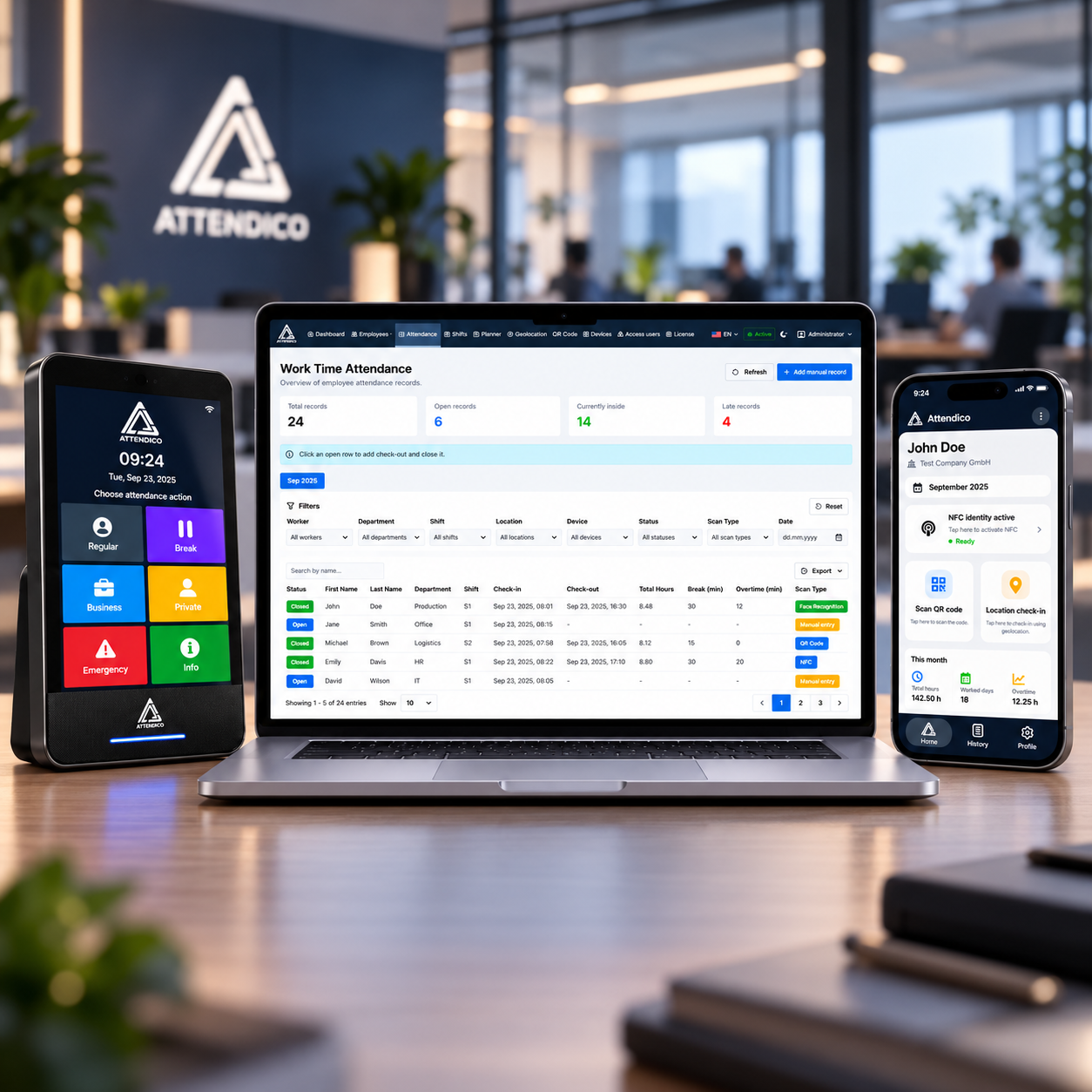
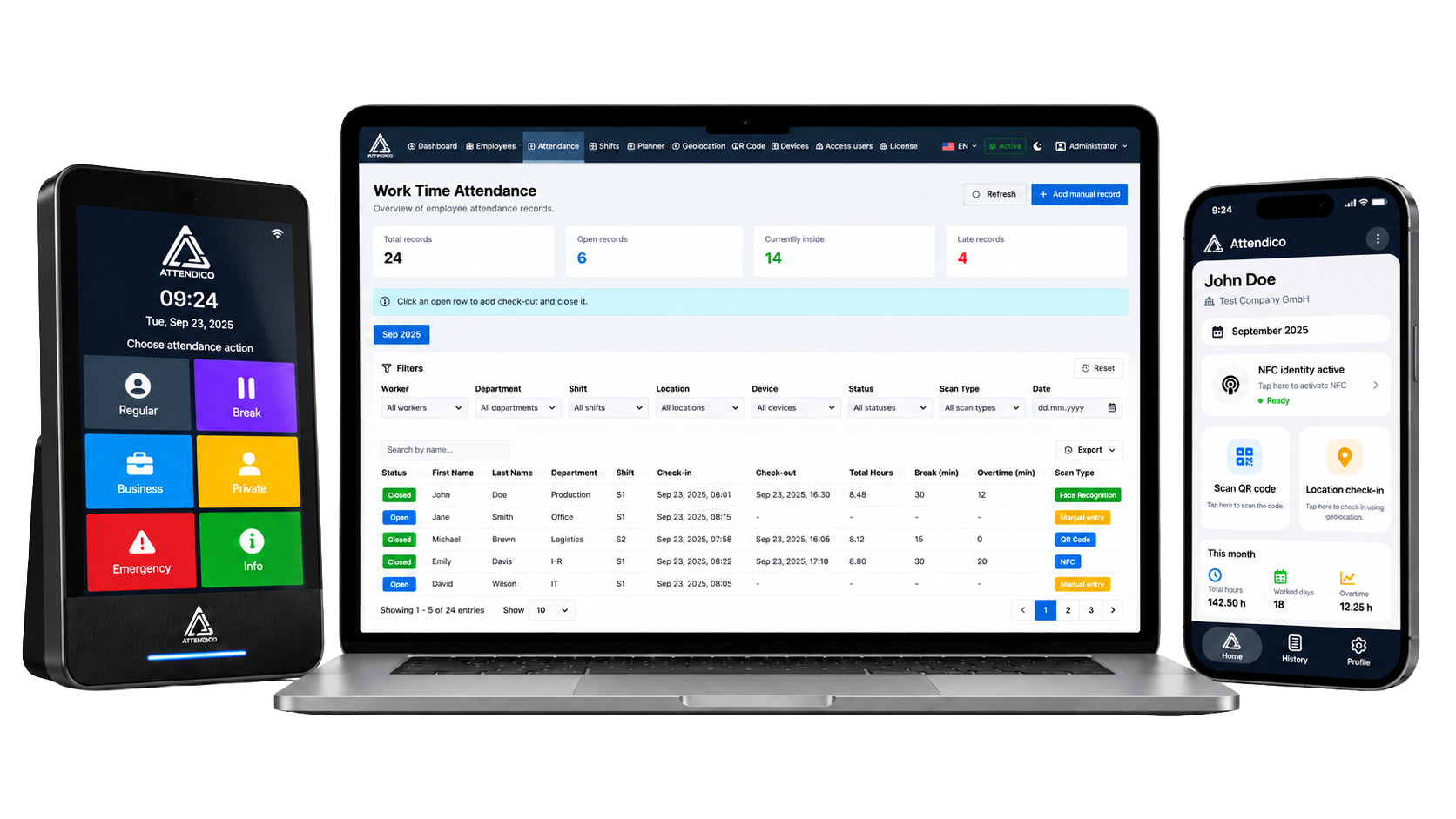
Attendico ATS Cloud is the central management platform for employee time and attendance. It connects employees, attendance records, shift planning, workplace locations, devices and administrative access in one web-based environment.
Instead of managing working time through disconnected spreadsheets, paper records and separate local tools, authorized users get one place to see who is at work, review check-in and check-out records, manage employees and shifts, plan schedules, control devices and export the data needed for payroll and operational reporting.
The Attendance view is built for day-to-day administration, not just for storing timestamps. Users can filter records by worker, department, shift, location, device, status, scan type and date, then search by name and move through monthly or yearly views.
Each record can show whether it is open or closed, when the employee checked in and out, calculated total hours, break time, overtime and the method used to register attendance. Authorized users can add a manual record when required and close an open record by adding the missing check-out.
When the data needs to leave the system, tables can be exported to CSV, XLSX or PDF with translated column headings and values.
Attendico is built for more than one simple office schedule. Administrators can define shifts and groups, configure different working days, set custom hours for individual days and choose how employees are assigned to work patterns.
For repeating schedules, a group can rotate through multiple shifts according to a defined number of weeks, a rotation start date and a specific shift order. Employees who should stay permanently in one shift can be kept fixed. Where automatic rotation does not match the real operation, manual planning can be used instead, including day-off assignments.
The planner lets administrators move employees between shifts, apply a change only to one day or from a selected day forward, and keep change history so schedule adjustments do not disappear without context.
Absences can be recorded directly where schedules are managed. Administrators can classify an absence as Vacation, Sick or Other, add a note and keep the absence visible in the planner instead of maintaining a separate disconnected calendar.
Planner history records normal edits, absence changes, bulk or range operations and future schedule changes. For operational use outside the browser, the planner supports XLSX export and a dedicated print view.
What can administrators manage in ATS Cloud?
Employees, attendance records, shifts and groups, planning, absences, workplace and mobile-attendance configuration, connected devices, administrative users and license-related features are managed from the Attendico Admin environment.
Can we use different shift models?
Yes. Attendico supports fixed assignments, rotating groups and manual planning. Rotating groups can define the interval, start date and shift order, while individual employees can remain fixed where required.
Can attendance records be filtered and exported?
Yes. Attendance can be filtered by employee and operational context, viewed by month or year, searched, and exported to CSV, XLSX or PDF. The system also exposes total hours, breaks and overtime in the attendance view.
Can absences be managed in the planner?
Yes. Vacation, Sick and Other absences can be entered with notes and are included in planner change history.
Can more than one administrator use the platform?
Yes. Attendico supports access-user management with role validation and a licensed limit for administrative users.
Is ATS Cloud only for large companies?
No. The same central platform can be used for a smaller single-site setup and expanded as the organization adds employees, devices, workplaces and more complex scheduling requirements.